Widget Integration
Want to embed Polli's staking tools on your own site?
We provide a lightweight widget that can be embedded using a simple script embedding solution - allowing dynamic behavior on your site without altering your app's core codebase.
The Polli Widget is currently in BETA and not yet ready for common usage. This integration option will be available soon for production use. If you're interested in early access or testing, please contact our team.
This is ideal for wallets, explorers, and dApps that want to add staking capabilities with minimal effort.
How It Works
The Polli Widget is a JavaScript-based embeddable component that you can integrate into any website by adding a simple script tag. The widget provides full staking functionality including:
- Wallet connection and authentication
- Staking to validators/providers
- Reward claiming and compounding
- Portfolio management and delegation history
- Multi-chain support (Cosmos, Lava, and more)
Widget Preview
We offer two widget variants:
Polli Widget (Multi-Chain)
The standard Polli widget supports multiple Cosmos-based chains and provides comprehensive staking functionality across the ecosystem.
Lava Widget (Dualstaking Specific)
A specialized widget designed specifically for Lava Network's unique dualstaking mechanism, optimized for provider delegations and rewards.
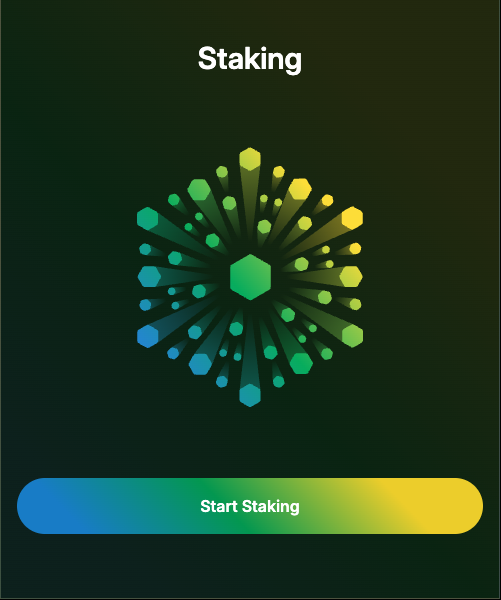
Polli Widget - Multi-chain Cosmos staking
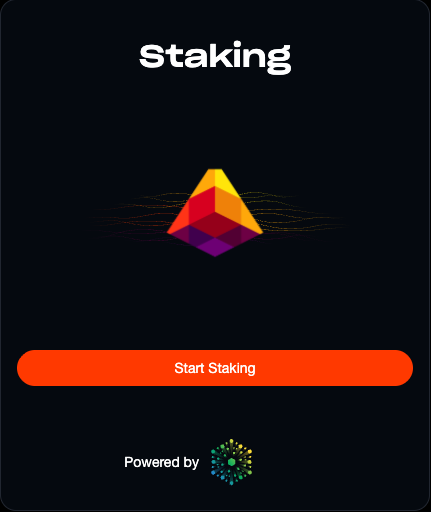
Lava Widget - Dualstaking specific
Quick Start
Simple Integration (Auto-Initialize)
The easiest way to integrate the widget is with the default configuration:
<div id="polli-widget"></div>
<script src="https://widget.polli.co/embed.js"></script>
That's it! The widget will automatically initialize and render in the container.
Custom Configuration
If you need to customize the widget (chain selection, dimensions, custom container ID), use manual initialization:
<div id="my-staking-widget"></div>
<script src="https://widget.polli.co/embed.js"></script>
<script>
  PolliWidget.init({
    containerId: 'my-staking-widget',
    chain: 'LAVA',
    height: '650px',
    width: '100%'
  });
</script>
Configuration Options
When calling PolliWidget.init(), you can customize the widget with these options:
| Option | Type | Default | Description |
|---|---|---|---|
containerId | string | 'polli-widget' | ID of the HTML element where the widget renders |
chain | string | auto-detected | Blockchain to use (e.g., 'LAVA', 'COSMOS') |
width | string | auto | Container width (e.g., '400px', '100%') |
height | string | auto | Container height (e.g., '650px') |
customStyles | string | undefined | Custom CSS styles to inject |
Integration Examples
Lava Network Widget
<div id="lava-staking"></div>
<script src="https://lava-widget.polli.co/embed.js"></script>
<script>
  PolliWidget.init({
    containerId: 'lava-staking',
    chain: 'LAVA',
    height: '650px'
  });
</script>
Multiple Widgets on One Page
You can embed multiple widgets for different chains:
<!-- Cosmos Widget -->
<div id="cosmos-widget"></div>

<!-- Lava Widget -->
<div id="lava-widget"></div>

<script src="https://widget.polli.co/embed.js"></script>
<script src="https://lava-widget.polli.co/embed.js"></script>
<script>
  // Initialize Cosmos widget
  PolliWidget.init({
    containerId: 'cosmos-widget',
    chain: 'COSMOS'
  });

  // Initialize Lava widget
  PolliWidget.init({
    containerId: 'lava-widget',
    chain: 'LAVA'
  });
</script>
Responsive Widget
For responsive layouts, use percentage-based dimensions:
<div id="polli-widget"></div>
<script src="https://widget.polli.co/embed.js"></script>
<script>
  PolliWidget.init({
    width: '100%',
    height: '600px'
  });
</script>
Key Features
Style Isolation with Shadow DOM
The widget uses Shadow DOM technology for complete style encapsulation:
- ✅ No style conflicts - your page's CSS won't affect the widget
- ✅ Clean integration - widget styles don't leak to your page
- ✅ Consistent appearance - widget looks the same across all sites
This means you can safely embed the widget without worrying about CSS conflicts or styling issues.
Secure API Communication
The widget handles all API communication securely:
- All API requests are proxied through the widget's backend
- No API keys or sensitive credentials exposed to the client
- CORS-enabled for cross-origin embedding
- Automatic chain-specific endpoint routing
Wallet Integration
The widget supports popular Cosmos ecosystem wallets:
- Keplr
- Leap
- Cosmostation
- And other WalletConnect-compatible wallets
Users can connect their existing wallets directly through the widget.
Performance Optimized
- Gzip compression - ~2 MB gzipped JavaScript bundle
- Lazy loading support - load widget only when needed
- Efficient caching - static assets cached with appropriate headers
- CDN delivery - fast global content delivery
Best Practices
1. Script Placement
Place the widget script at the end of your <body> tag for optimal page load performance:
<body>
  <!-- Your page content -->

  <div id="polli-widget"></div>
  <script src="https://widget.polli.co/embed.js" defer></script>
</body>
2. Container Sizing
Provide appropriate dimensions for the widget container:
<div id="polli-widget" style="min-height: 600px; width: 100%;"></div>
The widget requires sufficient space to display staking interfaces, delegation lists, and modals.
3. Loading States
Consider adding a loading indicator while the widget initializes:
<div id="polli-widget">
  <div style="text-align: center; padding: 40px;">
    Loading Polli Staking Widget...
  </div>
</div>
<script src="https://widget.polli.co/embed.js"></script>
The widget will replace the loading content once initialized.
Use Cases
For Wallet Providers
Integrate staking functionality directly into your wallet interface without building custom staking infrastructure.
For Blockchain Explorers
Add staking capabilities to your explorer, allowing users to stake directly from validator pages.
For dApps
Provide staking options to your users as part of your application's feature set.
For Institutional Dashboards
Embed portfolio management and staking tools for treasury management.
Technical Requirements
- Modern browser with Shadow DOM support (all major browsers)
- HTTPS connection (required for wallet integrations)
- No framework dependencies (works with React, Vue, vanilla JS, etc.)
Getting Started
Ready to integrate the Polli Widget into your platform?
- Add the widget container to your HTML
- Include the widget script
- (Optional) Customize with
PolliWidget.init() - Test with your wallet to verify functionality
For detailed integration documentation and troubleshooting, contact our team.